TL;DR
Most students overestimate their Excel proficiency until practicum reveals the gap between basic and advanced skills.
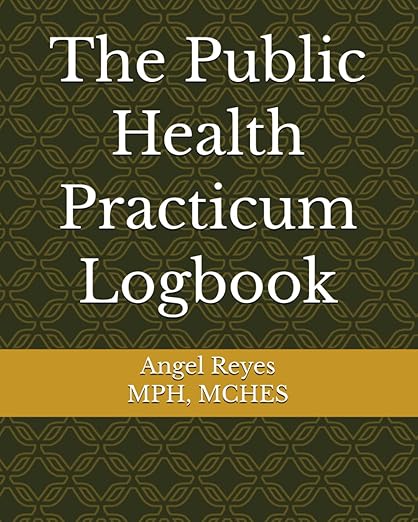
Stop Scrambling at the End of Your Practicum
The Public Health Practicum Logbook gives you the structure to track hours, map competencies, and build portfolio-ready evidence—all semester long.
Get Your Copy on AmazonThere's a humbling moment many practicum students experience in their first week: sitting in front of Excel, a program they've used for years, completely stuck on a task they assumed would be straightforward. The gap between "I know Excel" and "I know Excel at a professional public health level" becomes painfully clear.
The Illusion of Competence
Most MPH students enter their practicum believing they have solid Excel skills. They've created spreadsheets for coursework, made basic charts, and maybe even used a formula or two. But professional public health work often requires Excel capabilities that go far beyond the basics.
Suddenly you're asked to clean a dataset with 50,000 rows, create dynamic dashboards for stakeholder presentations, write VLOOKUP formulas that pull from multiple sheets, or automate weekly reports that previously took someone hours to complete manually. These tasks require skills that most academic programs don't explicitly teach.
Common Gap Areas
The most frequent skill gaps students encounter include pivot tables with calculated fields and groupings, advanced formulas like INDEX-MATCH, SUMIFS, and nested logical functions, data validation and conditional formatting for quality control, macro recording and basic VBA for automation, and Power Query for data transformation. Understanding where your gaps are is the first step toward addressing them.
Why This Gap Exists
Academic programs appropriately focus on public health theory, epidemiology, biostatistics, and program planning. Software skills are often assumed to be learned on the side or picked up through coursework projects. But the level of Excel proficiency needed in professional settings often exceeds what casual academic use develops.
Additionally, many students learned Excel years ago and haven't kept up with new features. The Excel of today has capabilities that didn't exist five years ago, including dynamic arrays, XLOOKUP, and enhanced Power Query integration.
Strategies for Rapid Skill Building
When you discover a gap, resist the urge to panic or try to hide it. Instead, take a strategic approach to rapid skill development.
First, be honest with your preceptor about your current level. Most supervisors appreciate honesty and will help you find learning resources or adjust expectations while you build skills. Pretending you know something you don't usually backfires when you can't deliver.
Second, use the specific task at hand as your learning vehicle. Rather than trying to learn all of Excel, focus on exactly what you need for your current assignment. If you need to create a pivot table, learn pivot tables deeply. Applied learning sticks better than abstract studying.
Third, leverage free resources strategically. LinkedIn Learning, which many universities provide free access to, has excellent Excel courses. YouTube tutorials from channels like ExcelIsFun or Leila Gharani can walk you through specific functions. Microsoft's own documentation is surprisingly helpful for understanding formula syntax.
Fourth, build your skills through practice outside of critical deadlines. Don't try to learn a new skill for the first time on a high-stakes deliverable. Practice with sample data or recreate your task in a test file before applying new techniques to important work.
The Time Investment Reality
Developing professional-level Excel skills takes time, often 20 to 40 hours of focused learning to move from basic to intermediate proficiency. This is time you may need to carve out from evenings or weekends, especially if your practicum started before you realized the gap existed.
Consider this investment a gift to your future career. Excel proficiency appears in nearly every public health job posting, and the efficiency gains from advanced skills pay dividends throughout your professional life.
Building Sustainable Competence
Rather than learning just enough to complete your current task, aim to build transferable skills you'll use repeatedly. Create a personal reference document of formulas and techniques you've learned. Save template files that demonstrate your new capabilities. Practice explaining what you've learned, as teaching concepts solidifies your own understanding.
Reframing the Experience
Discovering skill gaps during practicum feels uncomfortable, but it's actually the ideal time for this realization. You have access to preceptors who can guide your learning, tasks that provide immediate application for new skills, and the relatively low stakes of a learning environment rather than a permanent position.
Many seasoned public health professionals look back on their practicum as the time when they truly developed their technical skills. The gap you're experiencing now is a normal part of professional development, not evidence that you're underprepared.
Your practicum is revealing not just what you don't know, but exactly what you need to learn to succeed in your career. That information is valuable. Approach the Excel gap as an opportunity rather than a failure, and you'll emerge with skills that serve you for decades.
Graduate School Success Video Series
Complement your learning with our free YouTube playlist covering essential strategies for thriving in your MPH program and beyond.
Watch the PlaylistFor more graduate school resources, visit Subthesis.com